

What is Packet Loss? This question often comes to mind when we’re playing an online game and it suddenly stops, or the sound starts to cut out during a video call. In the world of the Internet, this is a common but annoying issue that significantly impacts our connectivity. When we use the Internet, our data travels in small chunks, called “packets.” If these packets get lost along the way before reaching their destination, it’s called packet loss.
At Laxlayer, we always try to explain complex internet concepts to you in simple terms. In today’s article, we will discuss in detail why packet loss occurs, its connection to the infrastructure, and how you can identify it.
What is Packet Loss (Simple Definition)
To understand packet loss, we must first understand how the internet works. When you send an email, watch a video, or download a file, the entire data isn’t sent all at once. Instead, internet protocols break that data into smaller chunks. These smaller chunks are called “packets.”
Each packet has a destination address. These packets travel from the server to your computer or mobile device via various internet routes. When these packets reach your device, your computer reassembles them and restores them to their original form (such as a complete image or video).
However, sometimes due to network congestion, traffic rush, or hardware issues, some packets get “dropped” or lost along the way. Network administrators often run a ping test to detect packet loss and check whether packets are successfully reaching their destination. When any part of the data does not reach its destination, it is called packet loss. This results in your video buffering, games lagging, or webpages loading halfway.
Network instability can also appear in another form called jitter, where packets arrive at uneven intervals instead of being completely lost.
The Reality of Data Loss and Internet Connectivity
Internet connectivity isn’t just about speed, it’s also about the smooth delivery of data. When we talk about data loss or packet loss, we’re looking at how data travels. The Internet is essentially a web of thousands of networks intertwined with each other.
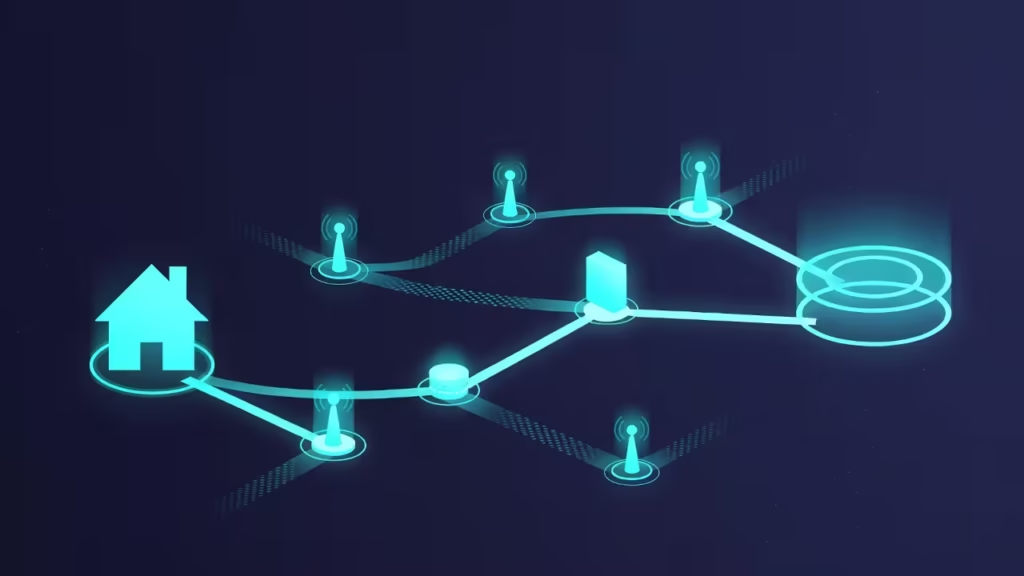
When you open Laxlayer.site, your request originates from your router and then travels to your ISP (Internet Service Provider) network. From there, it travels underwater via fiber-optic cables to reach the server in another country. During this journey, your data packet passes through several “hops” (stops). At each stop, there is a router or switch that decides where to send the packet next.
If the router is overloaded at any point, or there is physical damage to the cable, the packet may get stuck there or be lost. Systems like TCP (Transmission Control Protocol) attempt to resend lost packets, but this process takes time, making the internet feel slow.
Why does packet loss occur (Real Network and Infrastructure Reasons)
There’s no single reason for packet loss. It can occur anywhere, from the user’s device to the ISP’s core infrastructure. Below, we outline the basic reasons network engineers often encounter.
Network Congestion
The most common cause is network congestion. Just as cars are limited on the road during rush hour, internet cables and routers also have their limits. When many people start streaming or downloading simultaneously in the evening, routers don’t have enough time to process every packet. As a result, they ignore or drop some packets so that the rest of the traffic can continue.
Faulty hardware
Often, the problem occurs within your home. Old routers, faulty modems, or damaged LAN cables are the most common causes of packet loss. If your Ethernet cable is old or has a cut, data signals will become weak and packets will start getting lost. Similarly, if the router’s processor is weak and traffic is high, it will not be able to handle the packets.
Software Bugs and Firmware Issues
Sometimes the hardware is fine, but the software (firmware) that runs it is outdated. Routers and switches can have bugs in their operating systems that hinder data processing. Therefore, network experts always recommend keeping devices updated.
Wireless Interference (Wi-Fi Issues)
Wi-Fi connections suffer more packet loss than wired connections. Devices, other electronic devices (like microwave ovens), and neighbors’ Wi-Fi signals can weaken your signal. When the signal is weak, data packets traveling through the air fail to reach their destination.
ISP Infrastructure Issues
Most often the issue is not your end, but your Internet Service Provider’s end. If there is damage to the ISP’s main towers or fiber cables, or if they distribute more connections than their capacity, users experience packet loss.
What is the difference between Packet Loss, Latency, and Speed?
Many people mix up these three things, although they are separate concepts in networking. At Laxlayer, we want you to understand these technical terms correctly.
Internet Speed (Bandwidth)
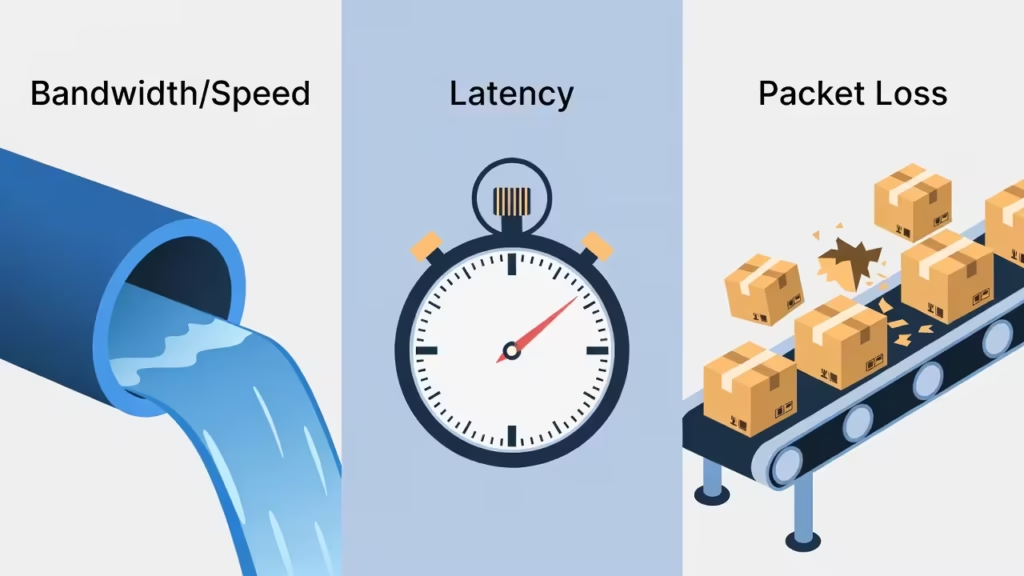
Speed refers to how much data your connection can process at any given time. Think of it as the thickness of the pipe. The thicker the pipe, the more water (data) will pass through it. Speed is measured in Mbps (Megabits per second).
Latency (Ping)
Latency is the time it takes for a packet to travel from your computer to the server and back. It is measured in ms (milliseconds). If latency is high, your action will be delayed.
Packet Loss
Packet loss means data gets lost along the way. If the speed is good and latency is low, but packet loss is occurring, the internet will still not work properly. For example, you’re watching a video. The speed is fast, but in between, frames of the video are being lost because packets are being dropped.
Impact of Packet Loss in Real Life
The impact of packet loss varies across every activity. In some tasks, it’s unnoticeable, while in others, it can render the internet completely useless.
Online Gaming
Packet loss is a gamer’s worst nightmare. If you’re playing PUBG, Call of Duty, or Fortnite and there’s packet loss, you’ll encounter “rubberbanding.” This means your character runs forward and then suddenly returns to the previous location. This is because the server hasn’t received the data packet for your movement.
Video Streaming (YouTube/Netflix)
Streaming services have buffering technology that can tolerate some packet loss. However, if the loss is significant (more than 5%, for example), the video will repeatedly stutter, the quality will suddenly drop from 4K to 144p, or the video will play intermittently.
Video and Voice Calls (Zoom/WhatsApp)
The effects of packet loss are immediately apparent in real-time communication. During a Zoom or WhatsApp call, if the voice sounds “robotic,” or the video freezes while the audio continues, this is a sign of packet loss. Because there’s no time to retransmit lost packets in a live call, that portion is simply skipped.
What is packet loss and how to check it?
Now the question is, how do you know if your connection is experiencing packet loss? You can use some simple tools to check this.
Command Prompt (Windows)
This is the most reliable method.
Open the Start menu on your computer and type “cmd” and press Enter.
Type this command in the black window: ping google.com -n 20
If you are seeing ping request timed out but internet working even though websites load normally, this usually indicates an ICMP filtering issue rather than packet loss.
Press Enter.
The system will send 20 packets to Google’s servers.
Check the “Lost” percentage in the results. If it’s 0%, the connection is fine. If it’s 1% or more, there’s packet loss.

Online Testing Tools
There are many websites on the Internet that test packet loss for free. You can search for “Packet Loss Test” and use a reliable tool. These tools show which packets were dropped in graphical form.
Console Diagnostics
If you use a PlayStation or Xbox, there’s an option for “Detailed Network Statistics” in their network settings. There you will find clearly written how much packet loss is occurring during upload and download.
How do ISPs and Network Infrastructure handle this?
Internet Service Providers (ISPs) and network engineers work tirelessly to reduce packet loss. This happens at the infrastructure level, which is invisible to the average user.
Quality of Service (QoS)
ISPs implement QoS protocols on their routers. The purpose is to let essential traffic (such as voice calls or gaming) pass first and allow things like downloading to wait a bit longer to avoid congestion.
Fiber Optic Upgrades
Old copper wires (DSL) are more prone to interference and signal loss. That’s why ISPs around the world are now installing fiber optic cables. Data travels like light in fiber, with a much lower chance of packet loss.
Redundant Routes
Bare networks always have “backup routes.” If a cable is cut or a router malfunctions on one route, the system automatically shifts traffic to another route to prevent user data drops.
Learning Networking Concepts with Laxlayer
Laxlayer’s mission is to make the complex world of the internet easier for you. We want you to not only use the internet, but also understand how this system works. On our website, you’ll find detailed articles on every aspect of networking.
If you want to diagnose issues such as packet loss at a practical level, be sure to check out our Internet Diagnostics guides.
Top 5 Tools to Try on Laxlayer (Suggested Topics):
DNS Speed Test Guide
Latency vs. Ping Explained
Router Configuration Basics
Wi-Fi Signal Boosting Tips
Understanding IP Addresses
We believe in transparency on our website. We use Google AdSense advertisements to run Laxlayer and may occasionally include affiliate links to reliable products. But our primary objective is to always provide you with accurate and helpful information.
Privacy and User Safety
When using networking tools, always remember not to share your personal IP address or sensitive information with anyone. At Laxlayer, we respect your privacy and recommend using only secure tools.
Practical Conclusion
By now, you should have a good understanding of what packet loss is. It’s a difficult part of the internet to completely eliminate, but it can certainly be reduced. If you feel your internet is slow, don’t just rely on speed tests; check for packet loss.
If you’re experiencing packet loss, restart your router first and, if possible, use an Ethernet cable instead of Wi-Fi. If the issue still persists, contact your ISP as the fault may be in their infrastructure.
Keep visiting Laxlayer.site for fun networking guides and internet connectivity information. We strive to make technology easier for you.